
Litter-Robot 3 Assembly & Disassembly
Aug 27, 2024•Channel
AI Analysis
Data from YouTube Data API v3•Updated Just now
Video Overview
Video Details
PublishedAug 27, 2024
Duration3:11
Video ID3x04cTsBBTo
Languageen
CategoryPets & Animals
PrivacyPublic
Made for KidsNo
Video TypeRegular Video
Performance Metrics
Views1.8K
Likes3
Comments0
Engagement Rate0.17%
Likes per 100 views0.17
Comments per 1K views0.00
Video Tags
Description
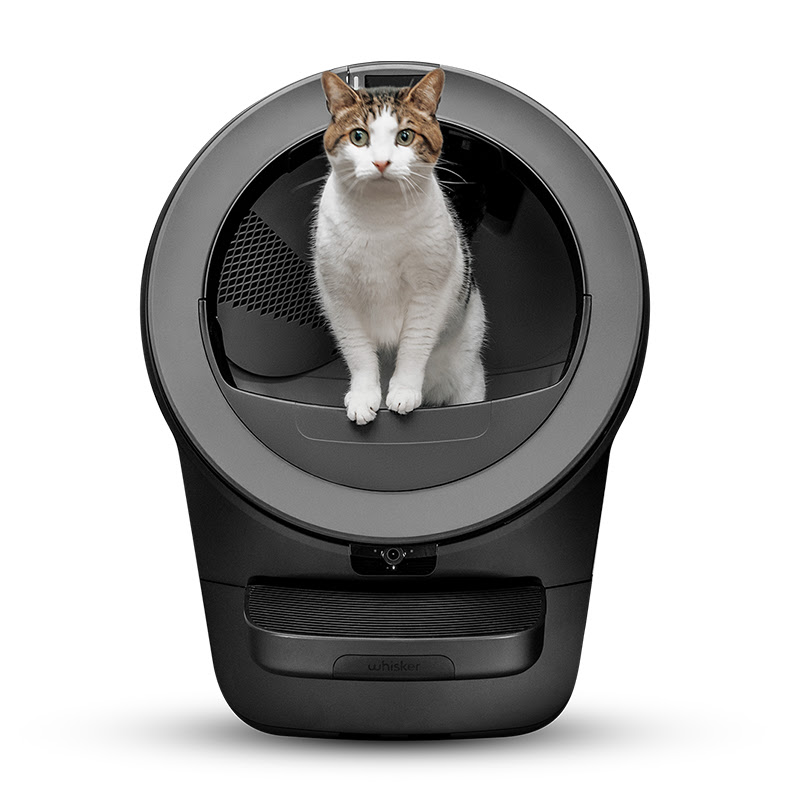
The self-cleaning litter box, Litter-Robot 3 is perfect for your home. Giving yourself an automatic litter box that cleans itself will not only save you time and stress, but will keep your hands and home clean.
In this video, we will give you the step-by-step guide to easily assemble and disassemble your new self-cleaning litter box. You’ll be able to quickly disassemble your Litter-Robot 3 for cleaning, repair, or installing replacement parts and easily re-assemble without breaking a sweat.
Let’s get your self-cleaning litter box assembled in no time.
🕒 Timestamps:
00:00 Intro
00:11 Litter-Robot 3 components
00:23 Bonnet & globe removal
00:58 Waste drawer liner installation
1:41 Carbon filter installation
2:10 OdorTrap installation
2:30 Bonnet & globe installation
2:59 Outro
💡Key things to know for Litter-Robot 3 assembly and disassembly:
Litter-Robot 3 components: bonnet, globe, base, waste drawer
OdorTrap packs can be used in conjunction with carbon filter to eliminate odors
Litter-Robot 3 control panel is located on the base to the right of the cat entry opening
Keep your self-cleaning litter box on firm, level surfaces
⚙️Removing bonnet and globe
Press the power button to turn the unit off
Unplug Litter-Robot from the outlet
Remove the bonnet by pressing down on both side latches and lifting
Remove the globe and waste drawer
⚙️Installing the waste drawer liner
*Litter-Robot 3 is shipped with a waste drawer liner installed*
When installing a new waste drawer liner, open it all the way and roll down the opening 4 times
Push the rolled edge of the bag liner into the tabs located on the sides of the drawer
Make sure the bag does not come up past the sides of the waste drawer - this can result in a false flashing blue “drawer full” light on the control panel
⚙️Installing the carbon filter
*Litter-Robot is equipped with a carbon filter when shipped*
Remove the old carbon filter by pushing down the top edge to free it from the retaining hooks
Slide a new carbon filter in by pushing down on the top edge of the filter
Adjust the filter to cover the front facing vent
If you’re using OdorTrap, install the OdorTrap Pod in the waste drawer near the carbon filter
Place one OdorTrap pack inside the pod and snap it shut
⚙️Installing bonnet and globe
Reinstall the waste drawer
Place the globe onto the base while making sure it’s on straight and in its tracks
At the back of the globe, turn the black key into the key pocket
Replace the bonnet by inserting the tabs into the rear bonnet slots and pressing forward until latches on the side click into place
Plug Litter-Robot 3 into the wall
Press the power button to turn on
After the initial clean cycle is complete, Litter-Robot should return home displaying a blue “ready light” status
🐱How to acclimate your cat to Litter-Robot:
Add a scoop of old litter to Litter-Robot allowing your cat to familiarize with the automatic litter box
Entice your cat with treats or catnip near the self-cleaning litter box to get them more comfortable
Choose an easily accessible and quiet space for the self-cleaning litter box
If you have any questions,
Consult our related support articles or contact our team.
🛠️ Support Articles:
Litter-Robot 3 Installing the Globe Liner
https://www.litter-robot.com/support/article/litter-robot-3-installing-the-globe-liner/
Litter-Robot 3 Removing the Bonnet
https://www.litter-robot.com/support/article/litter-robot-3-removing-the-bonnet/
Visit our support center for more helpful articles or contact our team via chat or phone: https://www.litter-robot.com/support/
Warranty information: https://www.litter-robot.com/explore/whiskercare
Subscribe for more tips and troubleshooting guides to keep your Litter-Robot running smoothly! 🐱✨ #LitterRobot #CatCare #SelfCleaningLitterBox #AutomaticLitterBox #Support
/ @litterrobot
https://www.litter-robot.com/