
Onboarding your Litter-Robot 4 | Whisker App
Aug 27, 2024•Channel
AI Analysis
Data from YouTube Data API v3•Updated Just now
Video Overview
Video Details
PublishedAug 27, 2024
Duration1:48
Video IDis9rMNHc_Gw
Languageen
CategoryPets & Animals
PrivacyPublic
Made for KidsNo
Video TypeRegular Video
Performance Metrics
Views3.6K
Likes6
Comments2
Engagement Rate0.22%
Likes per 100 views0.17
Comments per 1K views0.56
Video Tags
Description
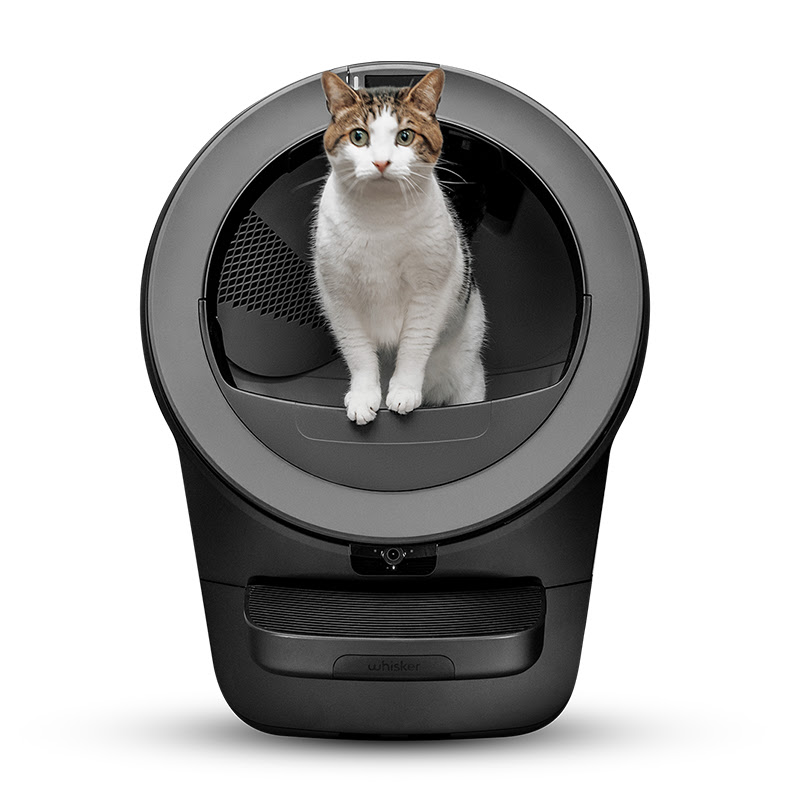
In this video, we’ll be explaining the quick and easy steps to onboarding your self-cleaning litter box — Litter-Robot 4, through the Whisker app.
Easily control and monitor your Litter-Robot 4 using the Whisker app. Keeping you updated in real-time, you’ll know when to refill your Litter-Robot and track all of your cats’ litter box habits. Providing the ultimate self-cleaning litter box experience.
🕒 Timestamps:
00:00 Onboarding requirements
00:19 Make Litter-Robot 4 into setup mode
0:31 Connect to the Whisker app
1:35 Outro
✴️Requirements when setting up app
IOS 13.0 or later or Android 8.0 or later
Camera permissions required in app
Network: 2.4GHz WiFi signal with IPv4 or IPv6 addressing
Enabled bluetooth on mobile device
🛜SSID Network names must be under 31 characters and cannot contain special characters:
Commas
Slashes
Periods
@ Signs
Apostrophes
Spaces
⚙️Onboarding process:
Download the Whisker app
Enable bluetooth on your mobile device
Open the Whisker app and register or login to an account
Once logged in, select the Litter-Robot 4 icon to begin the onboarding process
Put Litter-Robot 4 into pairing mode - press and hold the Connect button on the control panel for three seconds, the panel will turn solid blue with a single flashing yellow light
Register your Litter-Robot 4 by scanning the QR code on the back of the unit to link the serial number to your app
Connect your phone to Litter-Robot 4 through your mobile device’s bluetooth
Select your home WiFi network and password
Once fully connected, the Litter-Robot 4 control panel should show a solid blue bar
If you have any questions,
Consult our related support articles or contact our team.
🛠️ Support Articles:
Onboarding Litter-Robot 4 to Whisker App:
https://www.litter-robot.com/support/article/whisker-app-onboarding-your-litter-robot-4/
Unable to select WiFi network:
https://www.litter-robot.com/support/article/i-cannot-choose-my-home-network-to-onboard-the-connect-app/
Serial number currently in use error:
https://www.litter-robot.com/support/article/serial-number-in-use/
Visit our support center for more helpful articles or contact our team via chat or phone: https://www.litter-robot.com/support/
Warranty information: https://www.litter-robot.com/explore/whiskercare
Subscribe for more tips and troubleshooting guides to keep your Litter-Robot running smoothly! 🐱✨ #LitterRobot #CatCare #SelfCleaningLitterBox #AutomaticLitterBox #Support
/ @litterrobot
https://www.litter-robot.com/